
How can I search for Priority Matrix data in MS Teams?
-
-
- We will be using a connector in a Teams channel. I might suggest creating a channel just for this to keep your other channels organized. I called mine "Appfluence connector."
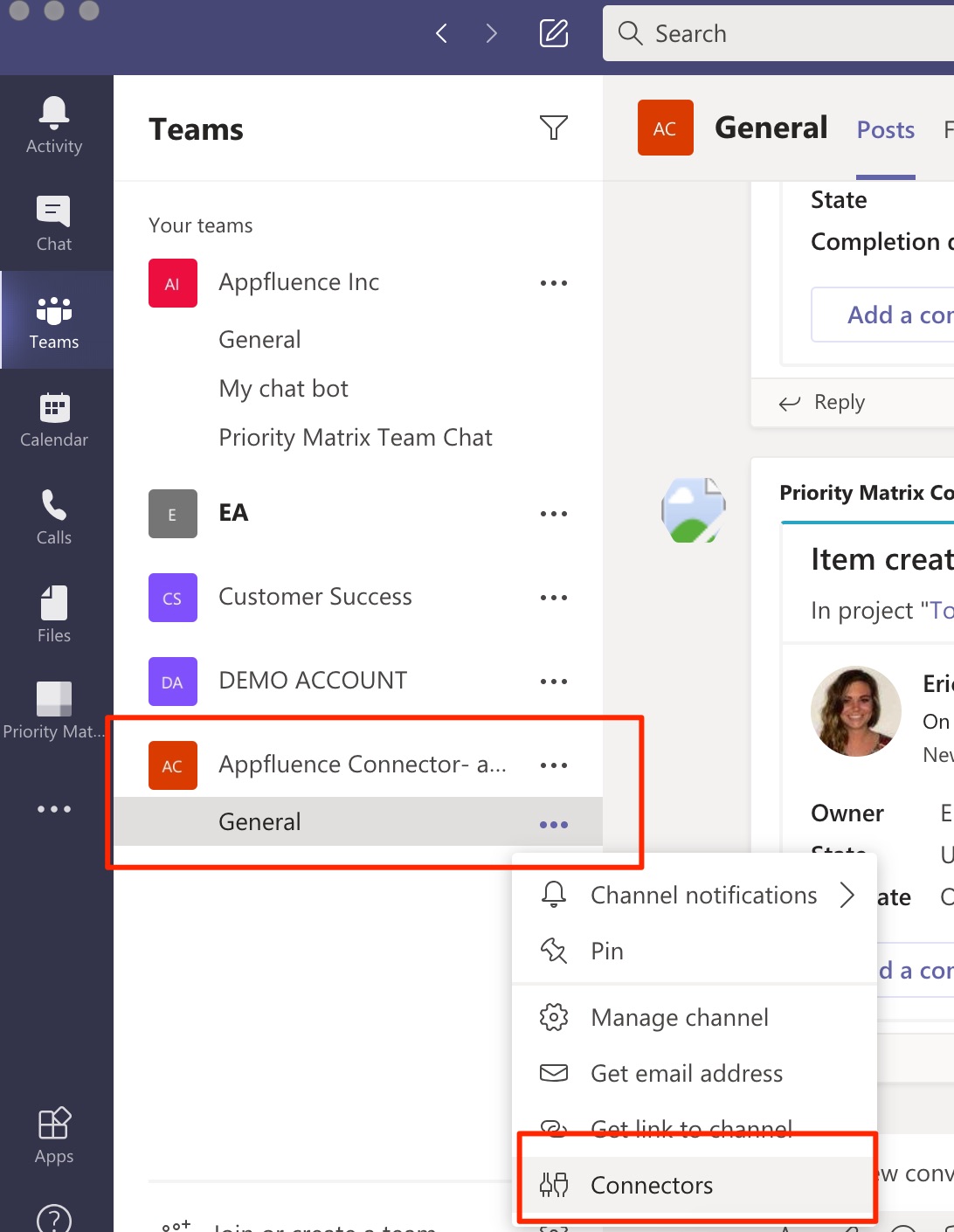
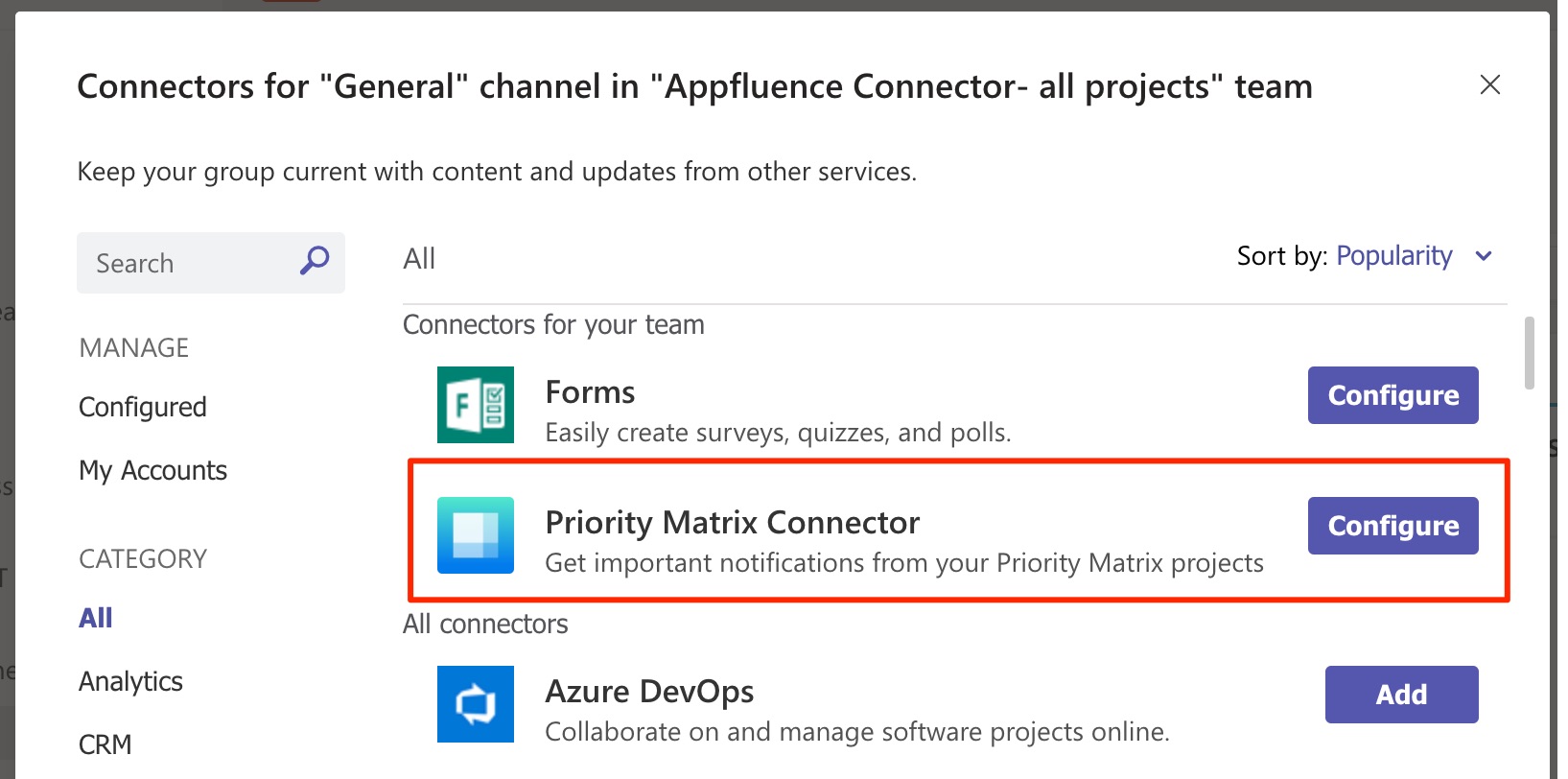
- Once you have a new channel, you will configure your Priority Matrix connector.
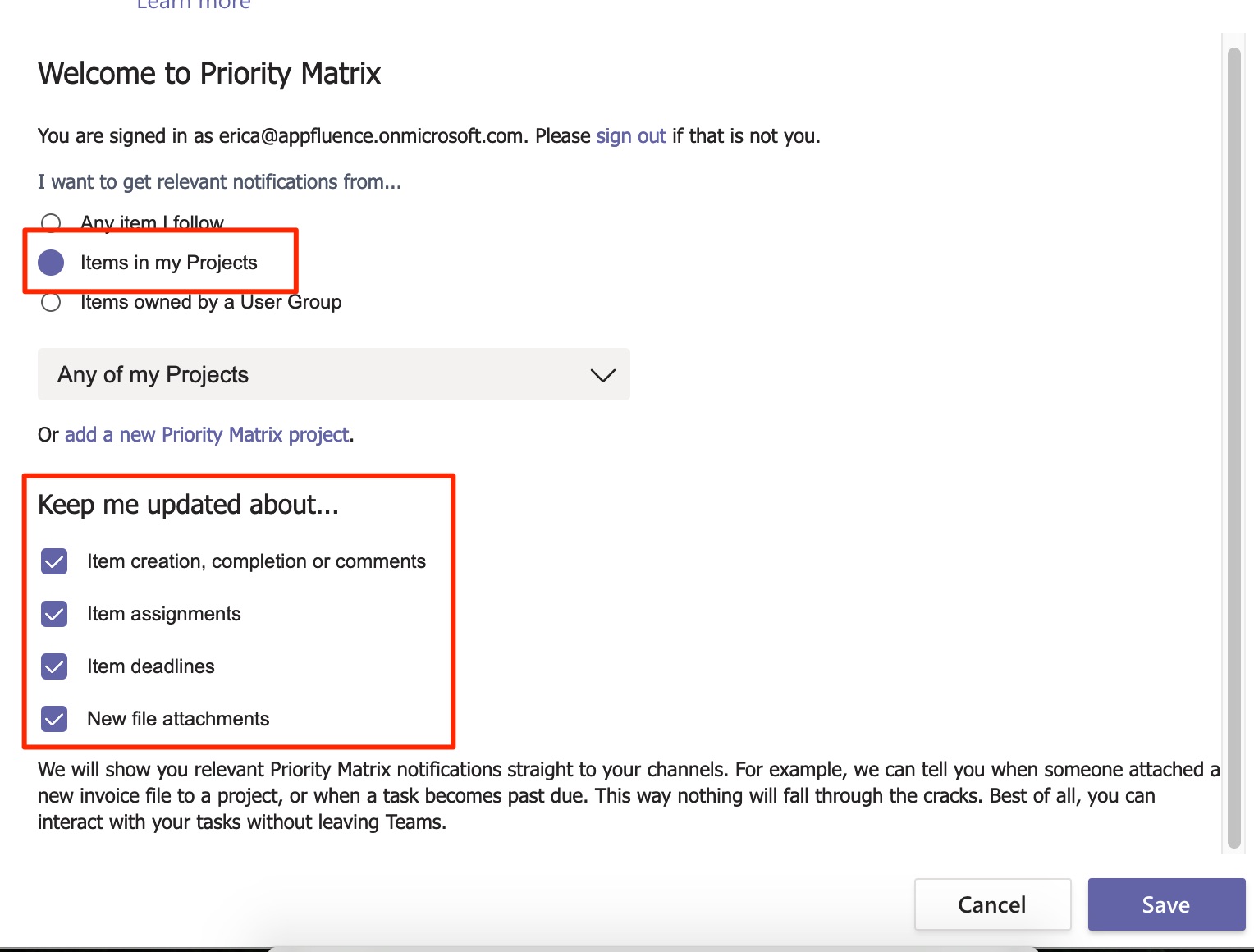
- You will choose the option to include all projects, and allow all notifications to be posted.
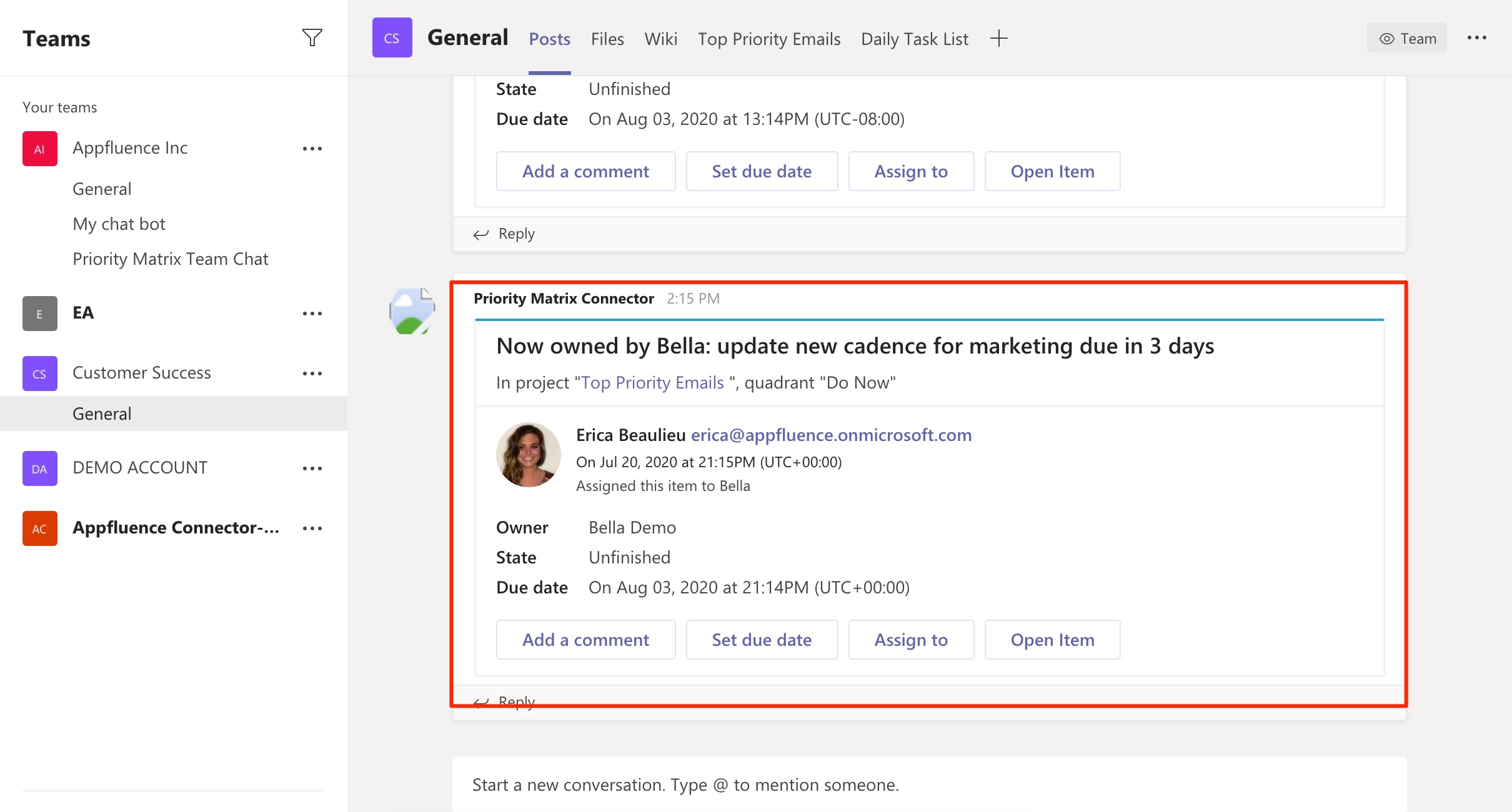
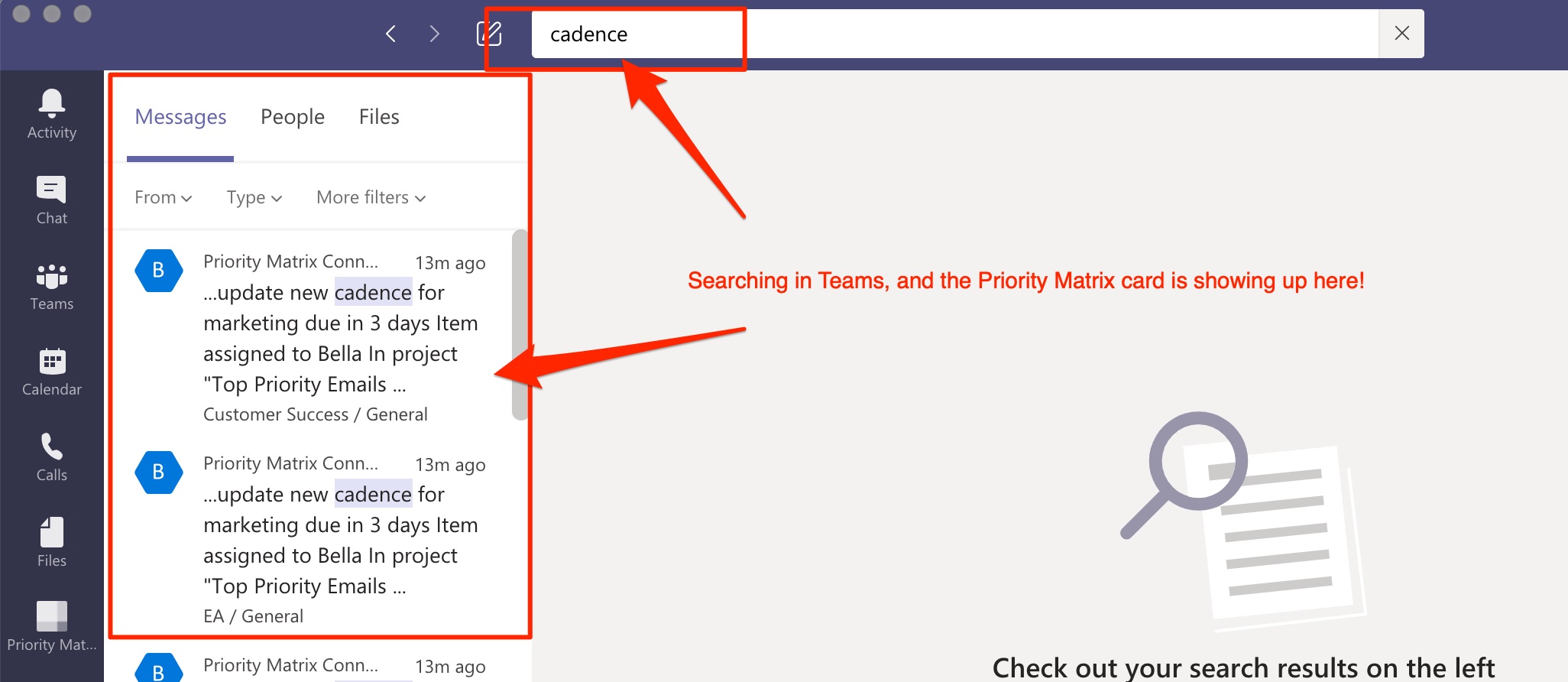
- The trick is, when a card is posted to a channel, in this case all projects and all updates in Priority Matrix will be posted to this channel, is what allows this data to be found in the MS Teams search. If there are things that do not need to be searchable via Teams, you can turn off this notification when you configure your connector.
- We will be using a connector in a Teams channel. I might suggest creating a channel just for this to keep your other channels organized. I called mine "Appfluence connector."
-