

Business people waste an average of 15 minutes on each conference call they make simply getting started or dealing with distractions throughout the call. This wasted time costs US and UK businesses over $34 billion/£26 billion" (source).The studies and data consistently show that business calls aren’t as productive as we think they are, yet we continue to dial into our conference call provider every Tuesday at 12:00 PM. Why? Because conference calls have the potential to be effective if we do them right. But, how do we do them right? We have created this article with tips for hosting a successful conference call. In this article, we will cover:
- Conference Call Definition
- How to do a conference call
- Conference Call Etiquette
- Conference Call Tips
Conference Call Definition
A conference call is a way for teams, whether remote or face-to-face, to get together through a phone call or virtually through a digital conference call software. This is the opportunity for several individuals to discuss pressing issues, assignments, and goals. For companies with virtual teams, conference calls are usually how meetings take place.How to Have a Conference Call
As a leader, it is important to know best way to have a conference call. There are a number of methods to set up a conference call depending on how many people are on the call, if you need screen sharing capabilities, if you would like to be on video chat, if you would simply like to use your phone, and how much you are willing to pay. If your call is going to consist of 2-5 people, you might consider using your cellphone. On Android and Apple devices, you can call an individual, press add call, add another call, and then press merge call. This is typically free to do. You might also consider using a conference call host. Some providers allow audio, video, and screen sharing options. Some providers include: Check out each of these providers to view their packages (many include free options) and their capabilities to see which ones would work best for your team. You will send out instructions to the conference call participants on how to call in. How you do this will depend on which provider you choose.Conference Call Etiquette
When you’re on a conference call, it is important that everybody practices proper business telephone etiquette. This may seem self explanatory, but it is important to remember proper etiquette on a business phone call in order to prevent the phone call from running over time. Here are some tips for proper conference call etiquette:- Ensure that you are in an area with minimal distractions
- Be in a quiet environment
- Be punctual
- Avoid eating and drinking
- Don’t interrupt others while they are speaking
- Speak clearly, concisely, and have good body language
- Focus
- Don’t go off topic
Conference Call Tips
Here are some conference call best practices.- Pick somebody to lead the call
- Don’t go over the allotted amount of time
- Keep the meeting quick and concise
- Record the call
- Send out a summary after the call
- Ensure that everybody says their name before they speak
- Be prepared
- An Introduction
- Recap of previous meeting
- Discussion Points
- Action Items
- How long each item should take to discuss
- Who is discussing what
- Closing Points
- Use visuals
Conference Call Agenda
In regards to creating a conference call agenda, consider using a platform like Priority Matrix. Using Priority Matrix, you can create a centralized dashboard that you can reference while on a call. Before each business call, you can invite each member of the call to view and contribute to the agenda from their phone or desktop.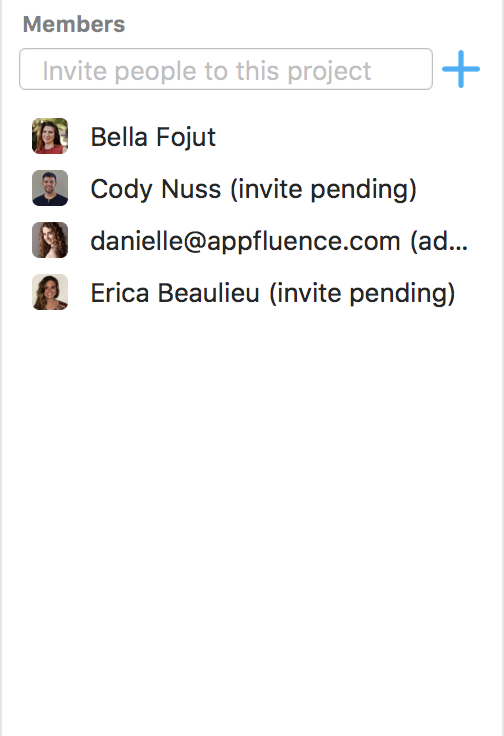 From there, you create the agenda.
In our conference call agenda, we use four quadrants, labeled:
From there, you create the agenda.
In our conference call agenda, we use four quadrants, labeled:
- Introduction
- Discussion Points
- Action Items
- Next Steps
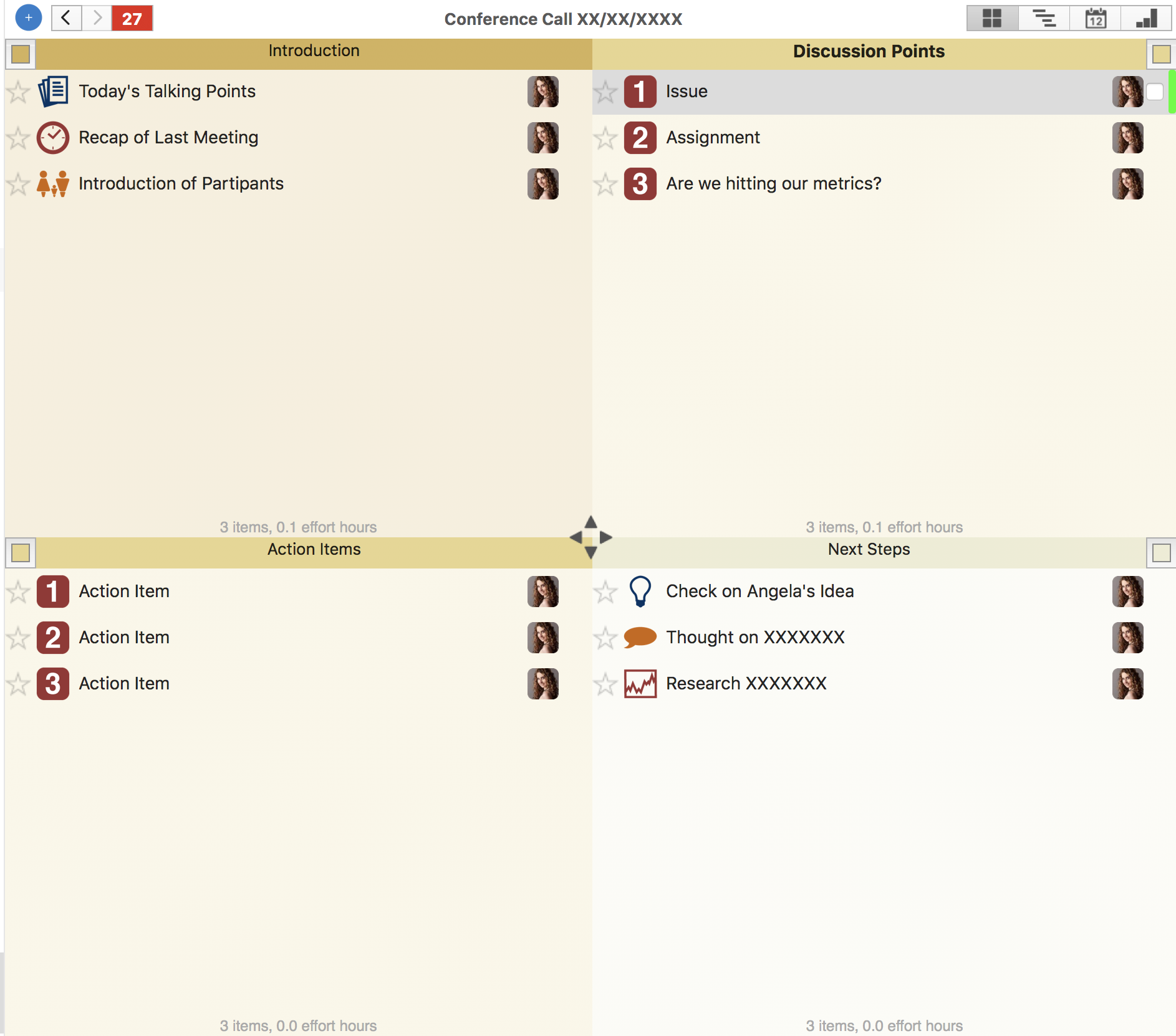 Keep in mind, these quadrant labels can be changed to whatever you would like to change them to in order to run your conference call most effectively.
Next, you can add and name agenda items (such as discussion points and action items) by double clicking the quadrant.
Under each agenda item, you can click on it and:
Keep in mind, these quadrant labels can be changed to whatever you would like to change them to in order to run your conference call most effectively.
Next, you can add and name agenda items (such as discussion points and action items) by double clicking the quadrant.
Under each agenda item, you can click on it and:
- Add a URL
- Note how long you would like to spend on the item during the conference call
- Include “followers”, or the participants who will be speaking about this item
- Add Notes
- Add a File/Screenshot
- Collaborate after the call using the in-app chat
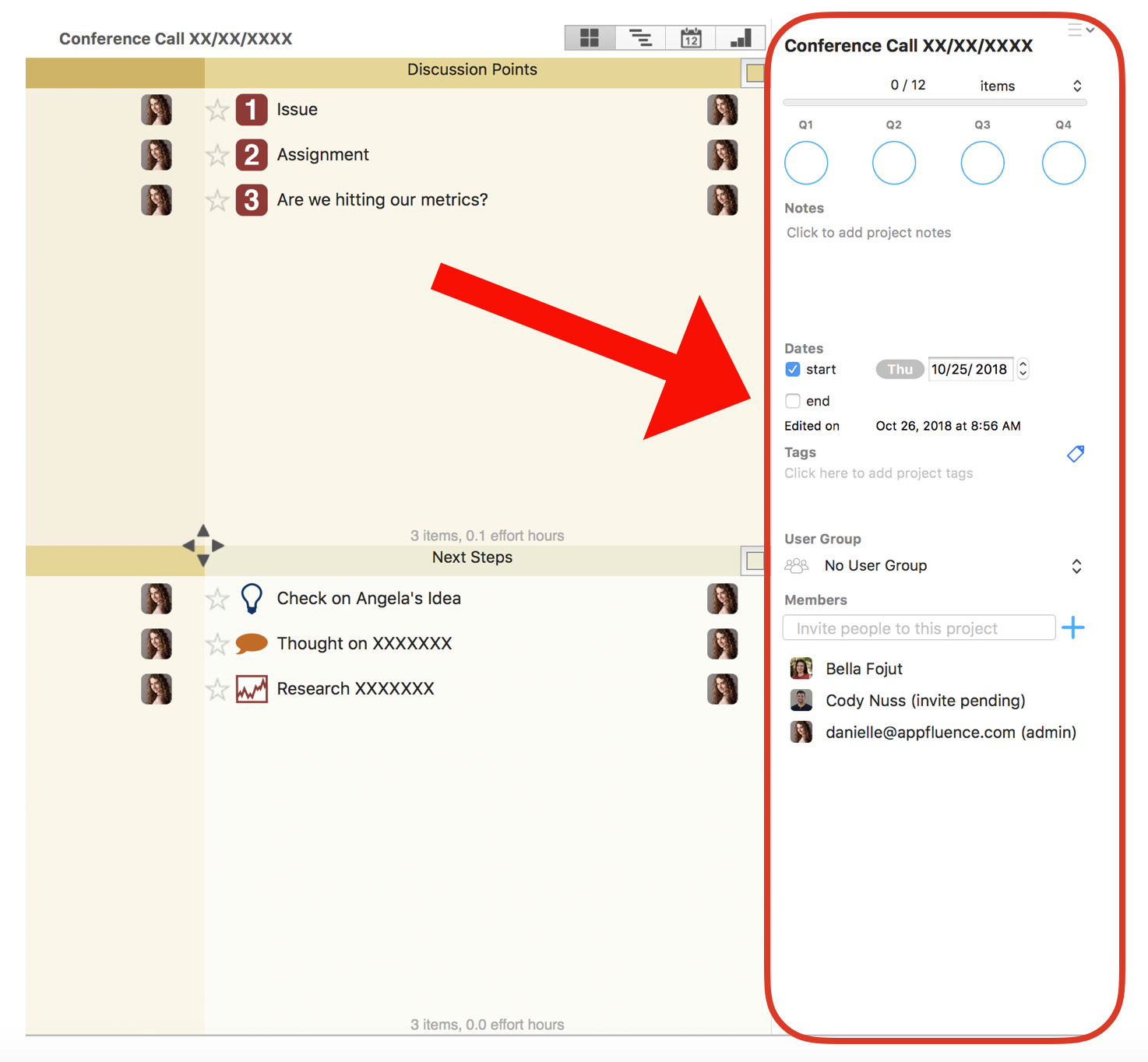 Post meeting, you won’t have to send out a summary because each team member can just pull up their meeting agenda and previous conference call agendas in their Priority Matrix whenever they would like.
Reducing Conference Calls
Priority Matrix will not only make your meetings via phone more efficient, but the platform will also allow you to reduce the amount of phone calls you make. This is because Priority Matrix is a system that will help you focus on the top priorities and projects by creating a central source of truth to coordinate all the work your team needs to do. With Priority Matrix, you will be able to allocate responsibilities and communicate all in one place seamlessly. In other words, Priority Matrix will help eliminate the need for constant conference calls, and when you do need to have the occasional conference call, creating a conference call agenda in Priority Matrix will help fill in the blanks.Download a Priority Matrix trial today!
