Event Planning is Pure Multi-tasking
Anyone who has ever tried to plan a small party can imagine, professional event planning is no joke! There are so many different things to think about days, weeks and even months ahead of schedule. Event though the event is over, the event planners's work is not. They must wrap everything up, account for missing things, invoice, and make sure that the client is happy enough to write a stellar review!
Many Different Phases of Event Panning
From start to finish, there are many different phases in the event planning process. What's more, an even planner will be working through a phase for multiples events at a time. A professional in this industry needs to be calm, energetic and organized to an extreme degree.
The Event Team
While, in some cases, the event planner is a one person show, they often have a whole even planning team. While help is always welcome, managing a team in such a fluid environment can come with a certain layer of complication. Because of this, it is important that the event planner has clear visibility into team members' activities across the board.
Digital Tools for Smoother Event Planning
With the increase of technology, many roles are aided with digital tools. Event planning is no different. Priority Matrix can help event planning processes by breaking down each phase into clear steps, highlighting individual responsibilities and providing a big picture view. Learn how below:
Even Planning Templates
Priority Matrix lets you create project templates for processes that you find yourself repeating often in your event planning role. You can choose to create and save multiple
templates for unique event situations. Below you can see a template that outlines phase one of the event planning process:
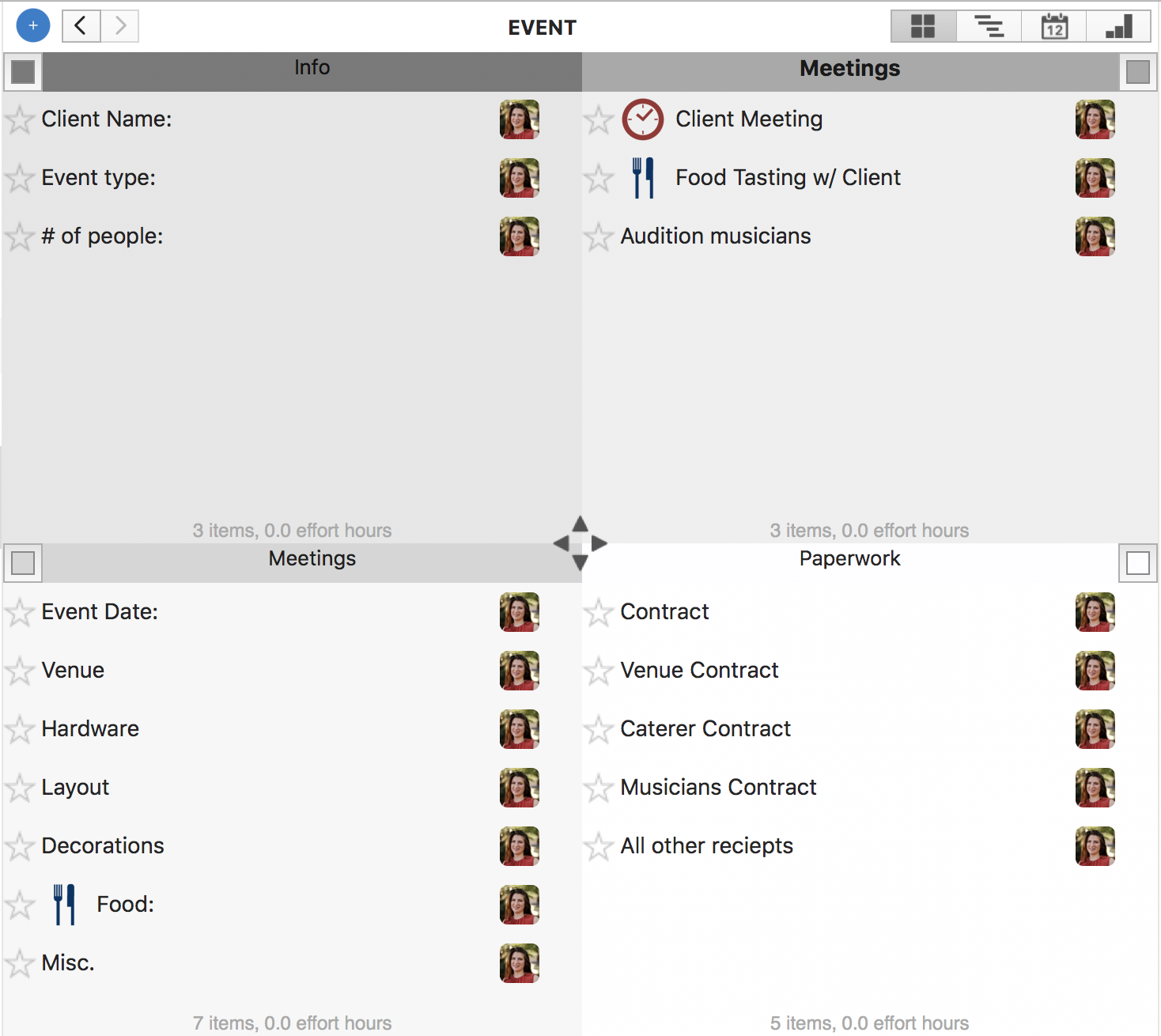
Subsequent templates will support the next phases all the way to wrapping up the event and sending an invoice to the client.
Keep Track of Team Members' Contributions
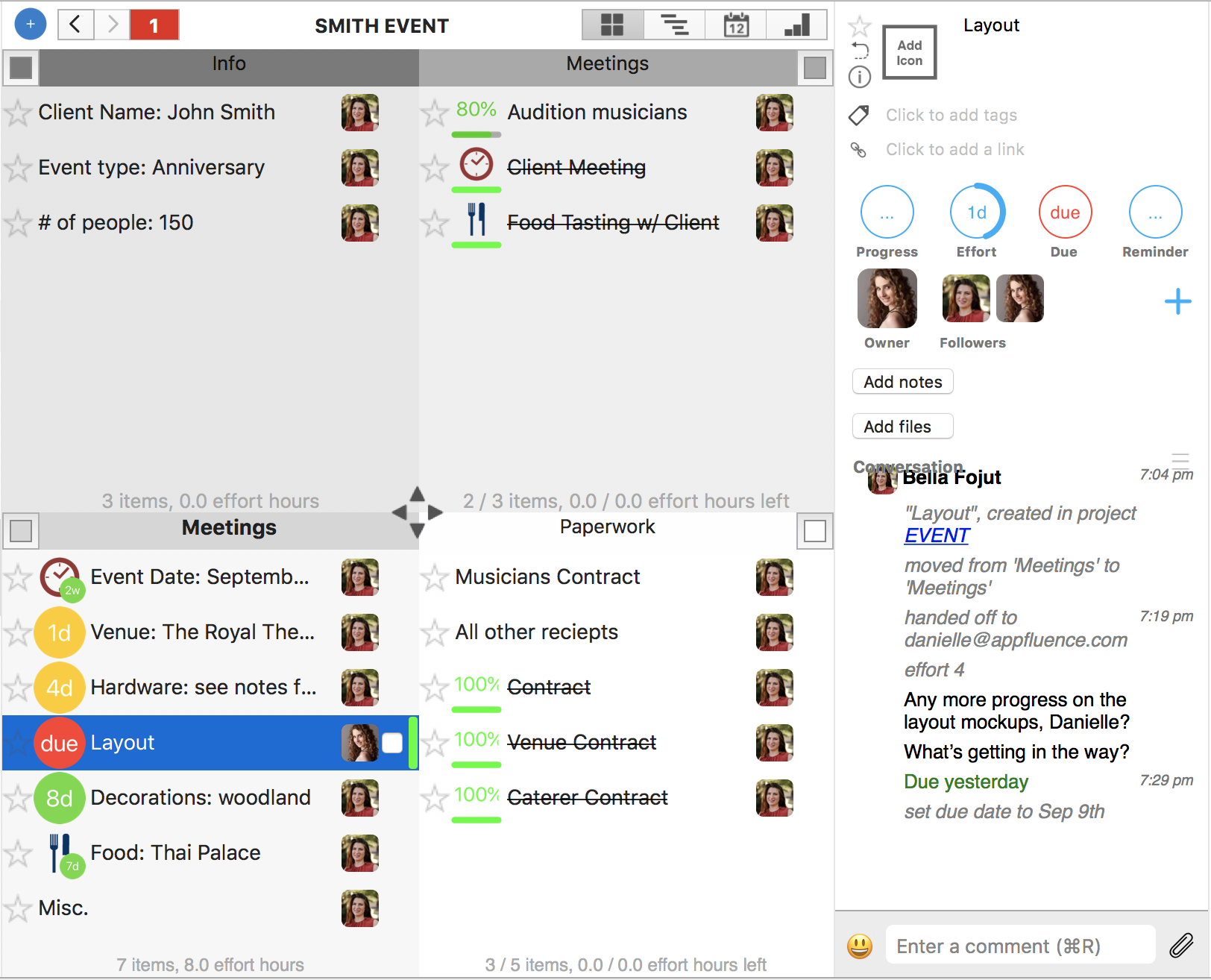
In Priority Matrix, responsibility is very clear. You can easily
assign a task to a member of your team and receive status updates automatically. In addition, the
conversation box allows you to communicate with the owner in the context of that one task:
Big Picture View of All Your Event Planning Projects
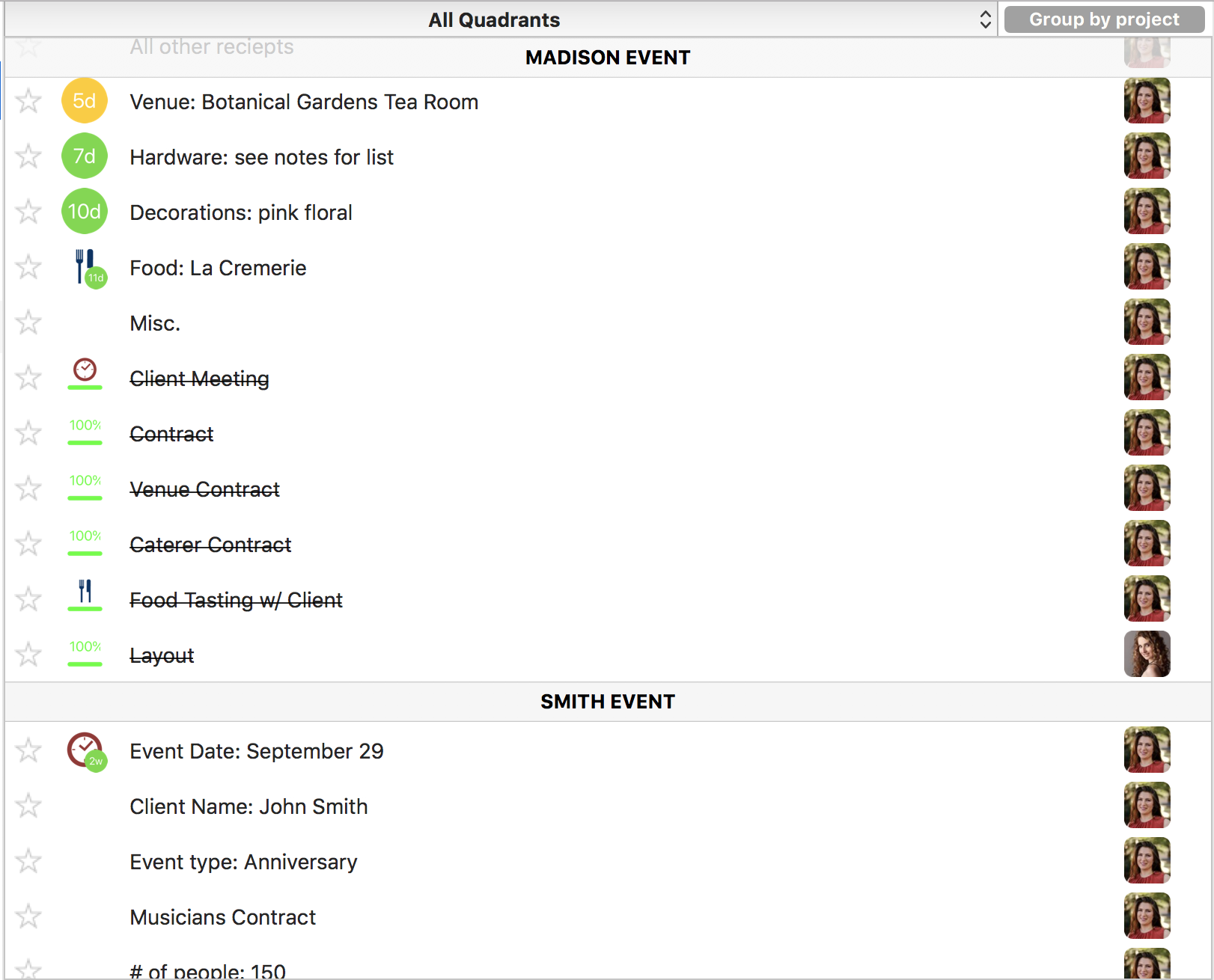
It is important to be able to see a bird's eye view. The
Master View allows you to roll all your projects into one long list:
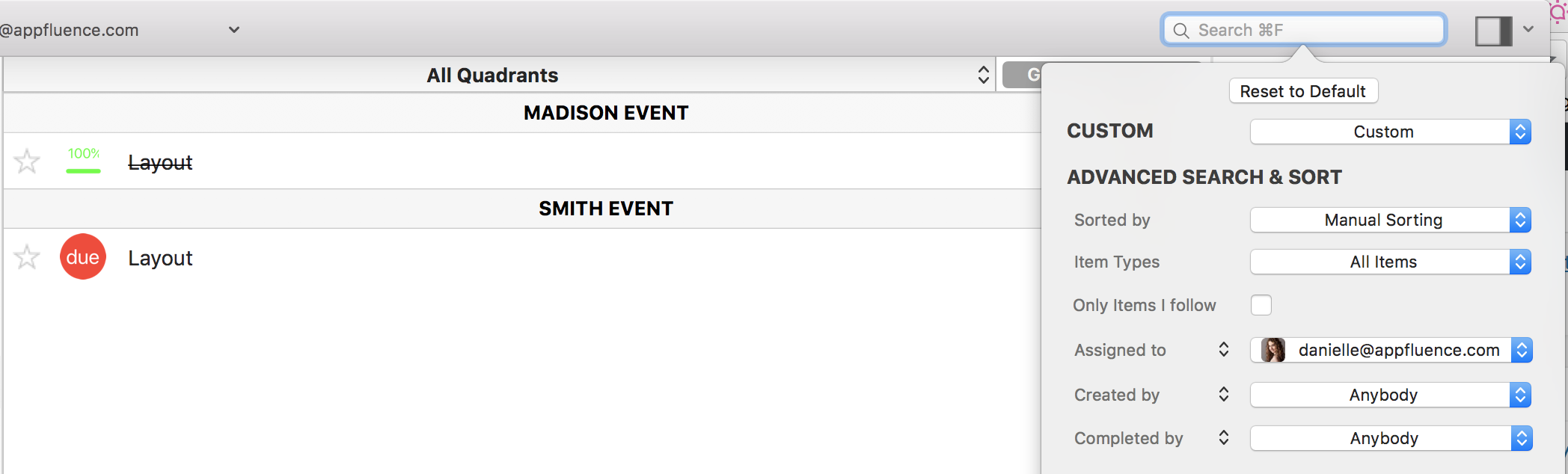
And filter based on timeline, tag, type of item, or owner:
In addition, the
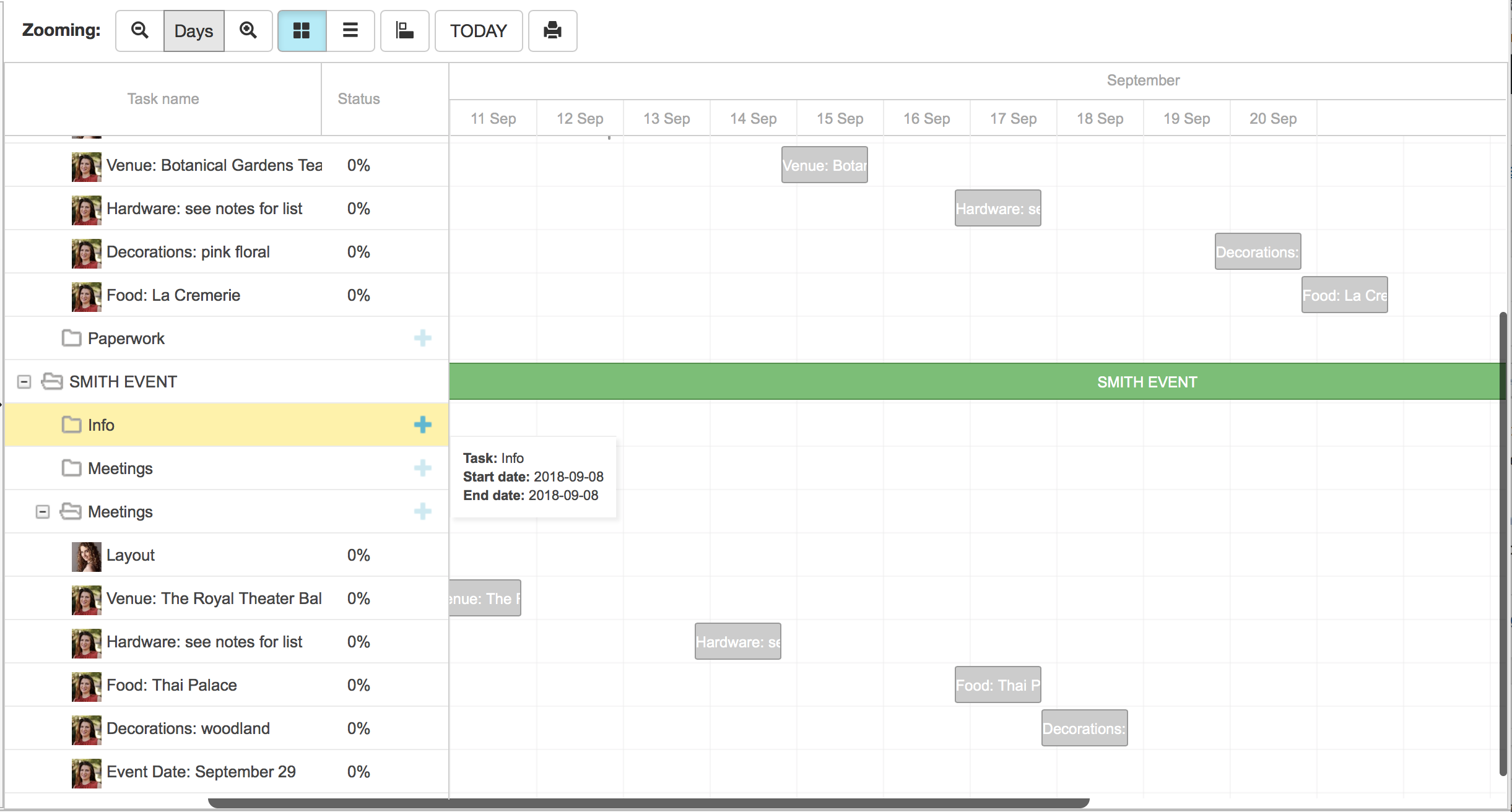
Gantt Chart let's you look at everything you need to do across one project, or many, in timeline format:
Conclusion
Whether you are balancing two events or ten with a team of one or twenty, Priority Matrix helps you plot, track, and get a complete view of everything that needs to get done.
View, import and edit the Event Planning Template here.