

- Capture
- Clarify
- Organize
- Reflect
- Engage
Transitioning from GTD to Priority Matrix
Capture
When you open Priority Matrix, you’ll see a project broken down into four quadrants. They’re labeled “Critical and Urgent”, “Critical and Not Urgent”, “Urgent but Not Critical”, and “Uncategorized”. Go ahead and slide over the middle over your screen to open up the “Uncategorized” section. This is where you’ll capture incoming work. Think of it as a holding bin where you can analyze each task and determine its level of priority, or which project it belongs under.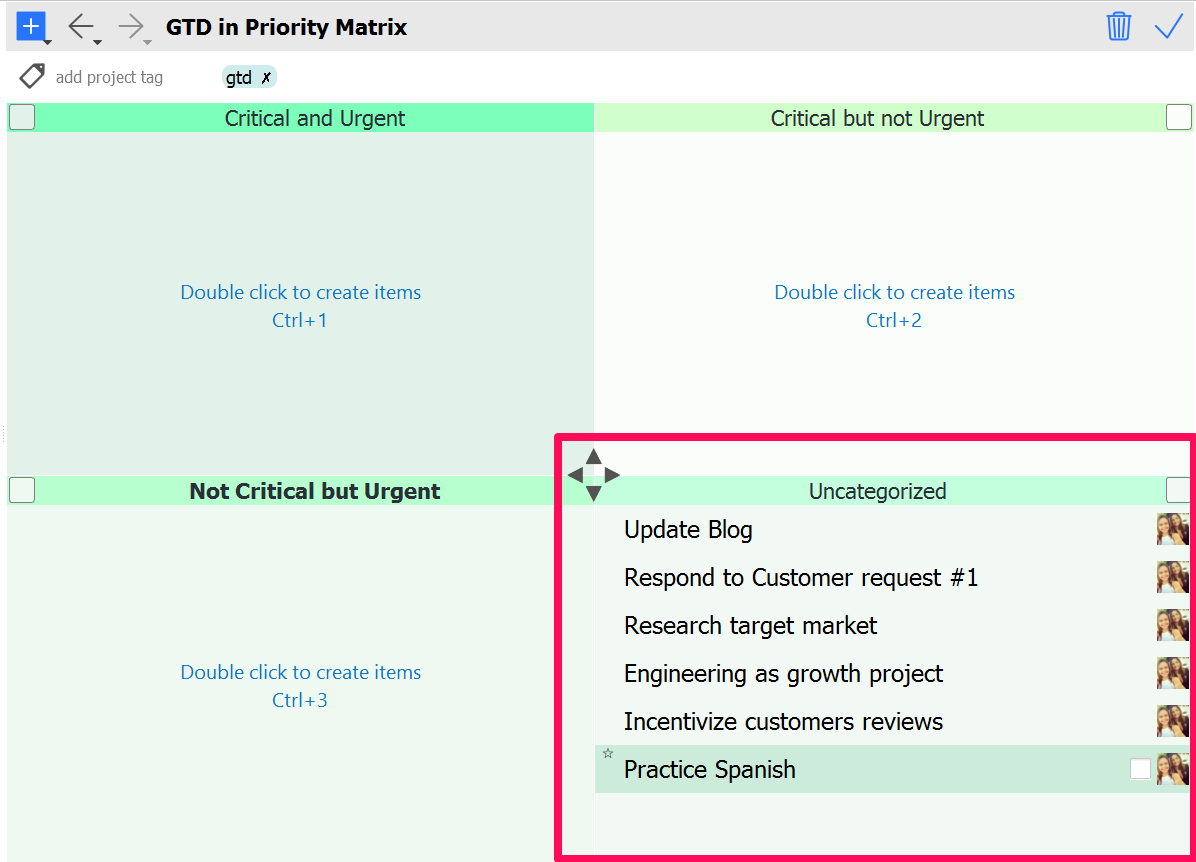 Many of you are still using your email inbox as your “capture” for new work (yes, I’m looking at you). It works for some of us, but for others (like me, pre-Priority Matrix) you tend to end up bogged down with an endless flow of incoming work.
Not anymore. Priority Matrix allows you to import emails into the PM inbox at the touch of a button. For truly seamless integration, set up email forwarding. This will automatically convert your emails to to-dos.
Many of you are still using your email inbox as your “capture” for new work (yes, I’m looking at you). It works for some of us, but for others (like me, pre-Priority Matrix) you tend to end up bogged down with an endless flow of incoming work.
Not anymore. Priority Matrix allows you to import emails into the PM inbox at the touch of a button. For truly seamless integration, set up email forwarding. This will automatically convert your emails to to-dos.
BECOME MORE EFFICIENT
TRY PRIORITY MATRIX FOR FREE NOW
(no credit card needed - includes all platforms for 14 days)
Clarify
Determine whether the tasks on your list are actionable - check out this article for more on converting to-dos to action items. You may find that some items in your list may require multiple steps to finish. In this case, you can create a separate project, and break that project down into actionable steps. Our in-house productivity experts recommend creating one project for each area of your work. For example, I work on Marketing and Customer Success, so I have a number of projects related to initiatives for each of those responsibilities.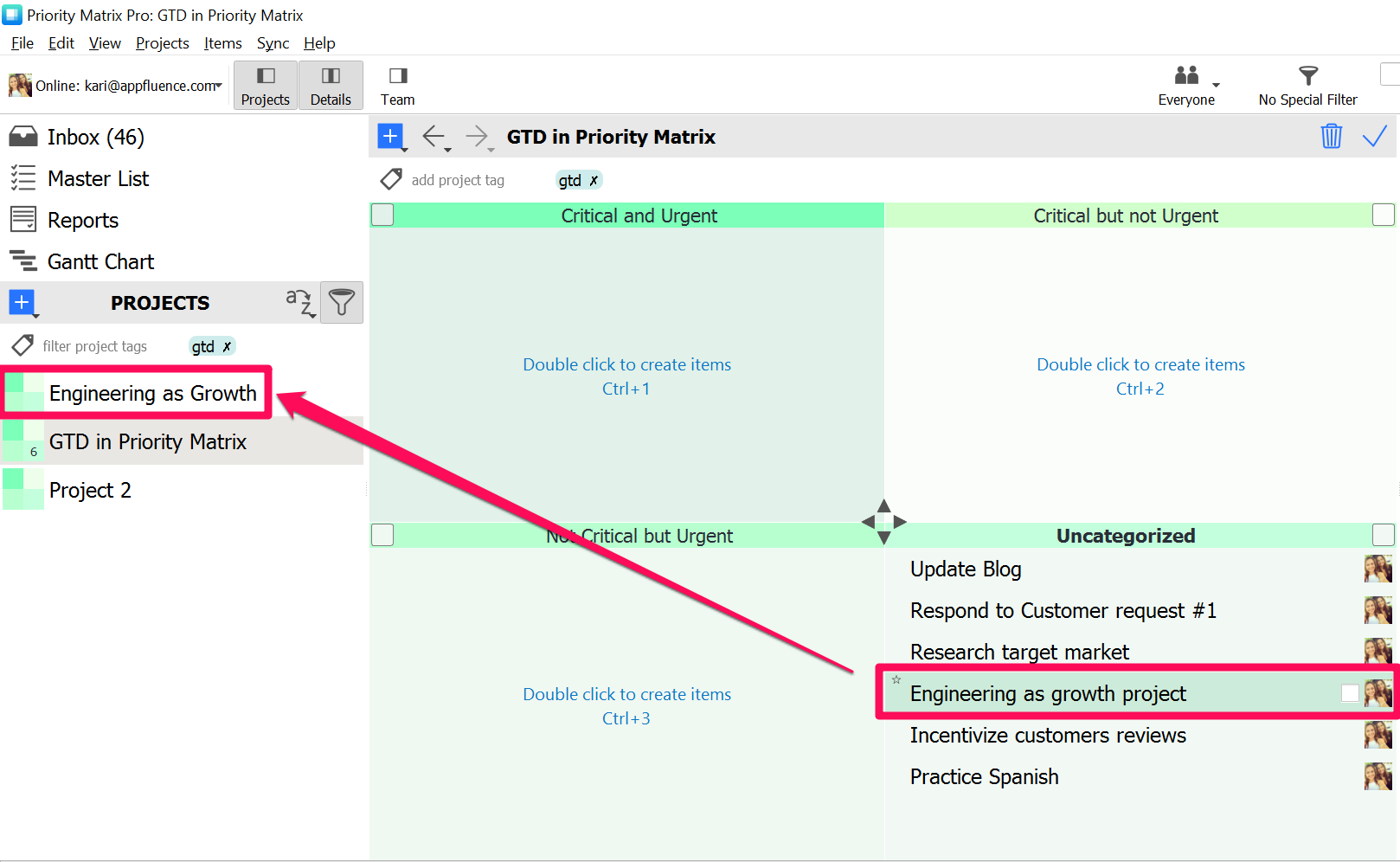
Organize
And prioritize. Here at Appfluence, we evaluate all tasks based on two criteria:- Is it critical?
- Is it urgent?
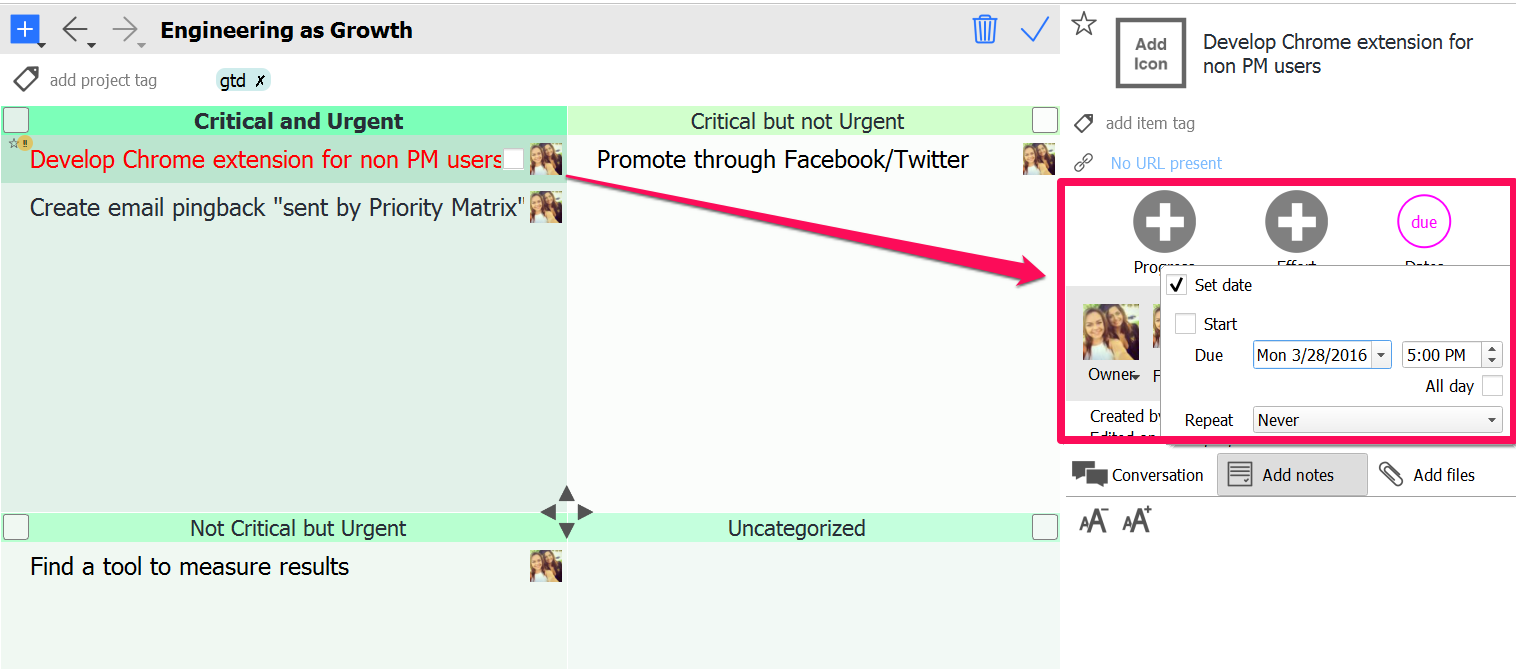 In Priority Matrix, you can easily drag and drop tasks from one quadrant to another, so re-organization is a breeze.
Reflect
Reflecting is an important part of GTD. It’s important to take a step back and make sure the work in front of you aligns with your broader goals. We’re huge fans of Priority Matrix, yes, because we built the tool, but also, because it gives a quick, visual overview of what’s going on in a project. One quick glance will show you what is considered a top priority in each project. What’s more, we’ve built a “master list” for you, where you can see tasks across all projects. One quick glance at the master list will show you the highest priority tasks across every project you’re a part of.Get Things Done!
After transitioning from GTD to Priority Matrix, you’ll find that your Master List is actually a go-to list of action items that you can immediately act on. I’m being honest when I say this: I start every day in the office by checking the master list.
When you begin to capture, clarify and organize using Priority Matrix, your to-do list simply falls into place, because our system analyzes the details for you.
Stop worrying about what to work on and go work on it :)
Isn’t that the whole point of GTD?
Happy Prioritizing!
I’m being honest when I say this: I start every day in the office by checking the master list.
When you begin to capture, clarify and organize using Priority Matrix, your to-do list simply falls into place, because our system analyzes the details for you.
Stop worrying about what to work on and go work on it :)
Isn’t that the whole point of GTD?
Happy Prioritizing!
Learn more on the topic:
